
AI Guardrails for Financial UX
Seven rules for putting an AI assistant on a live financial screen without it hiding data, acting alone or making things up. A one-page checklist and Claude skills that run the review for you.
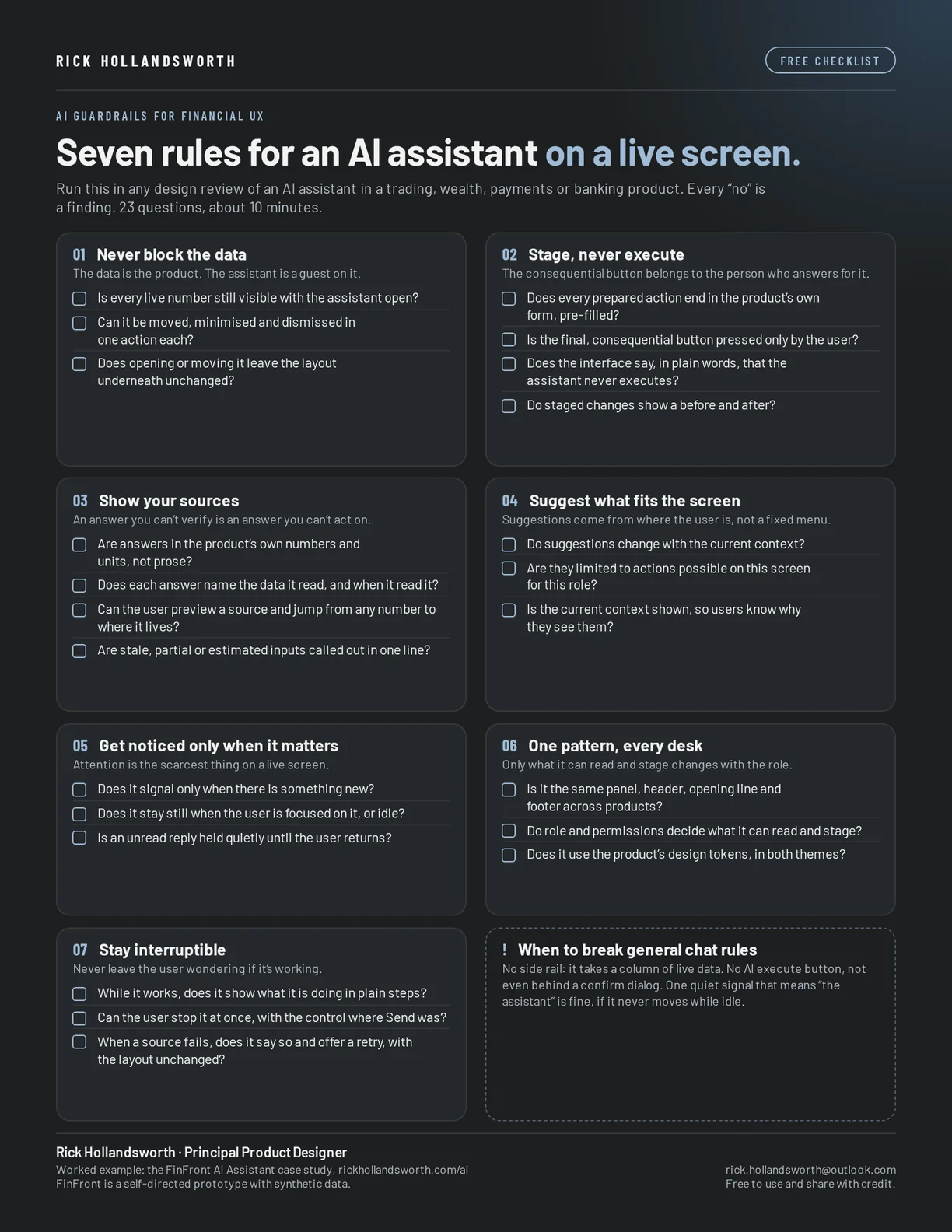
The seven rules
- Never block the data. The assistant never covers or reflows live numbers, and can be moved, minimised and dismissed in one action each.
- Stage, never execute. It drafts into the product's own form and stops. The consequential button belongs to the person who answers for it.
- Show your sources. Answers in the product's own units, naming what was read and when, with source previews and a one-line note on any assumptions.
- Suggest what fits the screen. Suggestions follow the current screen and role, not a fixed menu, and the context is always shown.
- Get noticed only when it matters. It signals only for something new, never while the user is focused, and never with idle motion.
- One pattern, every desk. One assistant and one promise everywhere. Role and permissions decide what it can read and stage.
- Stay interruptible. Plain progress steps while it works, Stop where Send was, a steady layout, and failures that say exactly what failed.
When to break general chat rules
Most conversational-UI guidance assumes a chat product. On a live financial screen, three common patterns bend. No side rail: it takes a column of live data with it. No execute button for the AI, not even behind a confirm dialog, so there is nothing to approve by reflex. And one quiet signal that means “the assistant” is fine, if it never moves while idle.
Using the Claude skills
Unzip the pack and add a skill folder to Claude. Start with guardrails-review, which runs all seven rules. Share screenshots, a spec, flows or sample answers from your assistant and ask Claude to run a guardrails review. You get a status per rule, the top three fixes, and a table of every check with evidence.
Free to use and share with credit. Want a walkthrough? Get in touch or message me on LinkedIn.